
Skip to content
Run · Smart Digital SolutionsSmart Solutions

Business systems built around how your team works

Problems

Typical problems

  • The business runs on spreadsheets

    The same figures are typed into several sheets, and nobody is sure which one is right.
  • Typing the same thing twice

    An enquiry is copied from the inbox into the CRM, then into the accounts, by hand.
  • Follow-ups that depend on memory

    Replies and reminders go out only when someone remembers to send them.
  • Nobody owns the server

    The system runs, but nobody is sure where, who pays for it or how to bring it back.
What we build

CRM & Sales Systems

Sales and service work from one record per customer, with the source of every enquiry and the date of every next step.

  • Lead capture & follow-up

    We build one place where every enquiry lands, gets an owner and a next step with a date.

    In use

    A website and leads inbox for a removals company: every enquiry from the website lands once, on one record the team works from. Read the case study: Website + leads inbox

  • Pipelines & reminders

    We build the stages a deal or a job moves through, with reminders that send themselves when a next step is due.
  • Customer history

    We build the customer record that keeps every message, note, quote and booking, so whoever picks it up next knows the story.
  • Customer-service workflows

    We build the steps a customer request follows from the first message to done, with an owner at each step and a record of what was promised.
What we build

ERP & Business Management

We build one system for sales, purchasing, stock, finance and staff, so a figure is entered once and every team sees the same one.

  • POS & billing

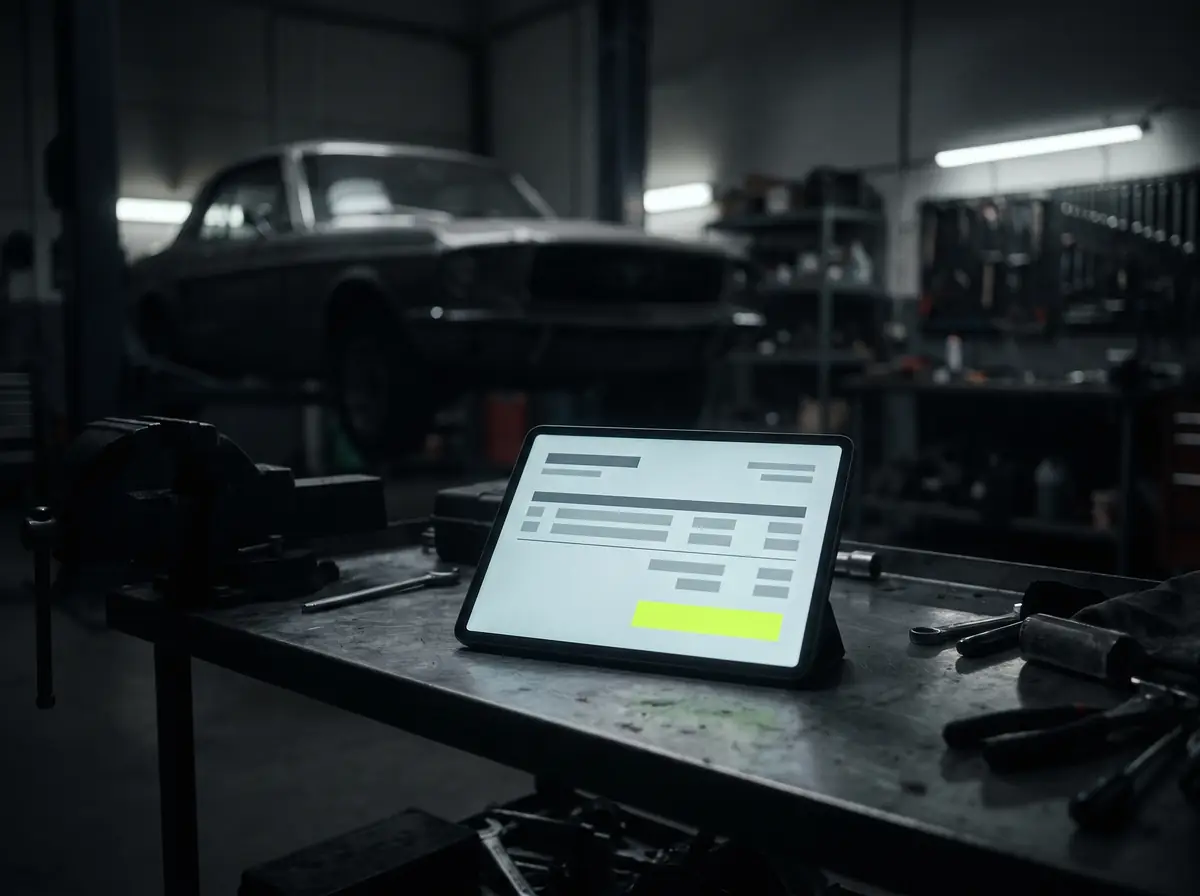
    We build billing screens for a counter or a workshop: a job or a basket becomes a bill, a receipt and a day-end total.

    In use

    A billing app for a car-service workshop in Pakistan. Read the case study: Car-service billing app

  • Orders & delivery

    We build order screens that follow a sale from the quote to the delivery, with the stock moving as it goes.
  • Inventory & stock

    We build stock records that move with every sale, purchase and transfer between locations, with a low-stock list.
  • Purchasing

    We build purchase requests and orders that reach the right person, and deliveries checked against the order they were raised on.
  • Invoices & approvals

    We build the flow from a supplier invoice to a signed-off payment: read, matched, routed and logged.
  • Staff records & leave

    We build staff records, leave requests, approvals and documents in one place, with the access each role needs.
  • Attendance & shifts

    We build check-in and check-out from a phone or a screen at the door, shift rotas, and a monthly sheet ready for payroll.
  • Staff apps

    We build phone apps for staff who work away from a desk, on the same records as the office.

    In use

    An Android app for a consultancy’s staff, working on the same inbox and contact records as the office. Read the case study: WhatsApp, Instagram & Messenger inbox

What we build

Portals & Internal Tools

Customers and partners sign in to see their own bookings, documents, payments and status.

  • Customer portals

    Self-service for your customers or partners: bookings, documents, payments and status without a phone call. Fewer “where is my…” messages, and a record of everything that was asked.
  • Partner & supplier portals

    We build portals where partners and suppliers send orders, documents and updates into your system instead of by email.
  • Employee portals & admin panels

    We build the screens staff sign in to for their own records, requests and approvals, and the admin panels and dashboards the office runs the system from.
  • Documents & requests

    We build the place where customers upload documents, sign forms and follow a request from sent to done.
What we build

Custom Software & SaaS Products

Custom business software, web apps, SaaS products and MVPs, booking and learning platforms and marketplaces, built in slices.

  • Custom business software

    Bespoke internal tools, booking and job systems, and admin panels: a few screens over one database, built to match the process the team already understands. One truth, one owner per field, a log of every change. If the business still runs on a sheet, here are the signs you have outgrown the spreadsheet.
  • Web apps & client portals

    We build web apps and portals where customers or partners book, pay, upload documents and check status, on the same data your office uses.
  • MVPs & SaaS products

    We build the first version of a product around the one job it must do well, then grow it in slices with its first users.
  • Booking & scheduling systems

    We build booking calendars with reminders and a link to move a booking.
  • Reminders & confirmations

    We build confirmations and reminders that go out by WhatsApp, text or email at the times you choose, and record who confirmed.
  • Deposits & payments

    We build deposits and payments into the booking: a deposit or the full price when a slot is booked, through a payment provider you already use or choose.
  • Multi-vendor marketplaces

    We build marketplaces where several sellers list, sell and get paid, with one admin view of the catalogue and the orders.
  • Courses & content

    We build the place where courses, lessons and files live, on the web and on a phone.
  • Enrolment & payments

    We build enrolment with payment, a welcome message and access that opens on the right day.
  • Progress & certificates

    We build progress tracking, quizzes and certificates that staff can check without asking.
What we build

Workflow Automation

The repeat steps of a process, run by the system with a person deciding where it matters.

  • Workflow automation & integrations

    The systems you already use start talking to each other. Enquiries flow into the CRM, follow-ups send themselves, invoices come from bookings, approvals happen on the phone. No re-typing, no 11pm spreadsheet. Enquiries that arrive on WhatsApp, Instagram or Messenger can land in the same place through a WhatsApp inbox and automation.
  • Document & data processing

    We build the steps that read documents and forms, pick out the fields and put them where they belong, with a person checking what the system is unsure of.
  • Support automation with human handoff

    We build the first replies, routing and suggested or translated answers for support messages, with a person taking over wherever it matters.

    In use

    Flows per WhatsApp number, an away message outside hours, and suggested and translated replies for the team. Read the case study: WhatsApp, Instagram & Messenger inbox

What we build

Data Engineering & Business Intelligence

One screen with the numbers that matter, drawn from the systems that hold them, with each enquiry counted by its source.

  • Reports & dashboards

    We build one screen with the numbers you check every week, drawn from the systems that hold them.
  • Data pipelines

    We build the pipelines that move data between your systems on a schedule, checked and logged, so every report starts from the same figures.
  • Connected operational data

    We join the records that sit in separate systems, such as sales, stock and bookings, so a question can be answered from one place.
What we build

Backend, APIs & Integrations

The tools you already pay for, joined so a record is entered once.

  • Backends & APIs

    We build the backend and the API that a website, an app and your other systems share, written down so another team can use it.
  • CRM & platform integrations

    We connect your CRM to the website, the inbox, the ad accounts and the accounting package, so a record is entered once.
  • Messaging & chat integrations

    We connect WhatsApp, Instagram and Messenger to the systems you already use, on Meta’s official APIs.
  • WhatsApp inbox & automation

    We build one team inbox for WhatsApp, Instagram and Messenger on Meta’s Cloud API, with flows, an away message and a staff app.

    In use

    A consultancy in Kuwait runs its WhatsApp, Instagram and Messenger enquiries through one inbox on its own server. Read the case study: WhatsApp, Instagram & Messenger inbox

What we build

Hosting, Maintenance & QA

Hosting, monitoring, backups, updates, testing and monthly care for the systems we build and the ones we take over.

  • Care & support plans

    A monthly plan that keeps what was built working: monitoring, fixes, small improvements and the changes your business asks for next. You talk to the people who built it.

    Typical build

    Ongoing improvements to a live WhatsApp inbox and its staff app for a consultancy in Kuwait. Read the case study: WhatsApp, Instagram & Messenger inbox

  • Hosting & infrastructure

    We set up and run the servers, databases and backups a system lives on, in accounts you own.
  • Monitoring & backups

    We set up monitoring for uptime and errors, and backups that are tested by restoring them.
  • Security & dependency updates

    We keep frameworks, libraries and servers up to date, on a schedule written into the care plan.
  • Modernisation & takeovers

    We take over and rebuild a site or app someone else started, keeping what works and replacing the rest in slices.
  • Testing & QA

    We test every slice before it goes into use: on the phones and browsers your customers use, from the keyboard, and against the written scope.
What we build

Product Discovery & Architecture

Requirements, feasibility and architecture written down before the build, with a scope and a roadmap you can plan around.

  • Discovery & architecture

    We start with how the work is done today, then write down the build: the screens, the data, what connects to what and the order of the slices.
  • Feasibility & technical discovery

    We check what your systems, data and budget allow before anything is promised, and write down what we found.
  • Scope & product roadmap

    We turn the first version and what follows into a written scope and a roadmap, so each slice has a reason and a date.

Try it live

Try the WhatsApp inbox

Follow one enquiry through a team inbox: the number’s flow asks its first question and routes the answer, and the contact record keeps the full history and where the enquiry came from. Then edit a suggested reply and send it, switch to out of hours, and see the same thread in the staff app.

What you can try

  • Answer the flow’s first question and see the enquiry routed to Sales
  • Open the contact record: its history and where it came from
  • Edit a suggested reply and send it
  • Switch to out of hours, then open the staff app
WhatsApp inboxDemo · sample data

A demo with made-up names and numbers. It shows the kind of system we build, not a client’s system. Nothing you do here is sent or saved.

  1. Step 1 of 4: A new enquiry arrives and the number’s flow routes it
  2. Step 2 of 4: Open the contact record: its history and its source
  3. Step 3 of 4: Take a suggested reply, edit it and send it
  4. Step 4 of 4: Switch to out of hours, then open the staff app

InboxYour business (demo)

New enquiry
  • WhatsApp
  • Instagram
  • Messenger
  • Sara M.nowHi! Is Thursday 11:00 free?WhatsApp · Sales line(open, unread)
  • Tom B.4mThanks, see you then!Instagram
  • Lena R.12mCould you send a quote?Messenger
  • Omar K.1hBooked for Friday, thank you.WhatsApp · Support line
  • Priya S.2hWhat are your opening hours?Instagram

Sara M.WhatsApp · Sales line

  1. Sara M.: Hi! Is Thursday 11:00 free?
  2. Flow · automatic: Thanks for your message! What can we help with?
  3. Answer as the customer:

Build log

Recent builds

details on request

  1. Car-service billing app

    workshop · Pakistan

  2. Website + leads inbox

    removals company · UK

  3. Invoice reading, matching and sign-off

    finance team

    In use

    Supplier invoices are read automatically, matched to purchase orders and routed to the right person for approval.

  4. Take-a-number call screens

    front desk

    In use

    A take-a-number queue: visitors take a number, and a screen calls the next person.

Case files

Work we have shipped

Details on request. Images are illustrative.

Illustrative render: WhatsApp, Instagram & Messenger inbox
Illustrative

Work / Consultancy · Kuwait

WhatsApp, Instagram & Messenger inbox

  • Smart Solutions
  • One inbox for every channel
  • Automated flows
  • Staff app
  • Templates & broadcasts

A consultancy in Kuwait runs its WhatsApp, Instagram and Messenger enquiries through one inbox on its own server.

Illustrative render: Website + leads inbox
Illustrative

Work / Removals company · UK

Website + leads inbox

  • Websites & Apps
  • Business websites
  • Lead capture & follow-up

A website and leads inbox for a removals company in the UK.

Illustrative render: Car-service billing app
Illustrative

Work / Car-service workshop · Pakistan

Car-service billing app

  • Smart Solutions
  • Custom business software
  • POS & billing

A billing app for a car-service workshop in Pakistan.

Illustrative render: Invoice reading, matching & sign-off
Illustrative

Work / Finance team

Invoice reading, matching & sign-off

  • Smart Solutions
  • Workflow automation & integrations

Supplier invoices are read automatically, matched to purchase orders and routed to the right person for approval.

Process

How a build goes

  1. Step 1 of 3

    Scope, in writing

    We look at how the work is done today, then write two pages: the problem and the build, with the price and the accounts it will live in. You say yes to a document, not a phone call. Here is what goes in a written scope.

  2. Step 2 of 3

    Build in slices

    The first slice is the piece that removes the most typing. It goes into use while the next slice is built, so feedback comes from real days, not demos.

  3. Step 3 of 3

    Run and measure

    Once it is live, a monthly care plan can cover monitoring, fixes and the next improvements, prioritised by what the numbers say.

Compare

The end of manual operation. The start of a system that runs.

Without Alif Logix

  • Manual processes that slow the operation as it grows
  • Complex admin and repetitive tasks that consume the week
  • Teams overloaded with recurring requests

With Alif Logix

  • Automation wired into the tools you already use, so growth does not mean more admin
  • Invoicing, bookings and follow-ups that run themselves
  • Repetitive tasks handled by the system, so your time goes to decisions

Alif Logix solutions form one connected system: the software that does the work, the automation that removes the repeat steps, and the marketing that brings the right customers to it. Built to reduce the bottlenecks that keep a team busy without moving the business.

Questions

Questions we get asked

  • Can it connect to what we already use?

    Usually. WhatsApp, Google Workspace, Microsoft 365, accounting packages, payment providers and most systems with an API or an export. If something cannot be connected we say so in the scope.
  • Do we own the software?

    Who owns the code and the accounts the system runs in is written into the scope before any build starts, so there is no question about it later.
  • What does it cost?

    It depends on what the process needs, so we price each project in writing after a short scoping call rather than publish a rate card. The written scope sets out exactly what the price covers.
  • How long does it take?

    It depends on the scope. The written scope splits the build into slices with a date for each, so something useful is in use before the whole build is finished.
  • Should we build it or buy a subscription?

    Often buy: accounting, payroll and email work the same way for every business, and off-the-shelf tools do them well. Build the part of the process that makes you different, or the layer that joins the tools you already pay for. More on when custom software beats a subscription.
  • Can you take over a system someone else built?

    Usually. We read the code and the data first, say in writing what we would keep and what we would replace, and change it in slices so the business keeps running.
  • Do you host what you build?

    We can. We set up and run the hosting in accounts you own, or work with the hosting you already have; the written scope says which.
  • What if we need changes later?

    That is what the monthly care plan is for. Changes go on a short list and are delivered in order of what moves the business most; nothing is silently absorbed or dropped.
  • Where are you based?

    Alif Logix works from four locations: Lahore (Pakistan), Southall (United Kingdom), Pampanga (Philippines) and Sharjah (UAE). We work with clients anywhere, in writing and on calls.
Contacts

Tell us what is slow, manual or invisible.

We reply to every enquiry within one working day.

Your message is emailed to us and used to reply to you. See our privacy policy and terms.